Tettra Updates
New Zapier Actions
by Nelson Joyce
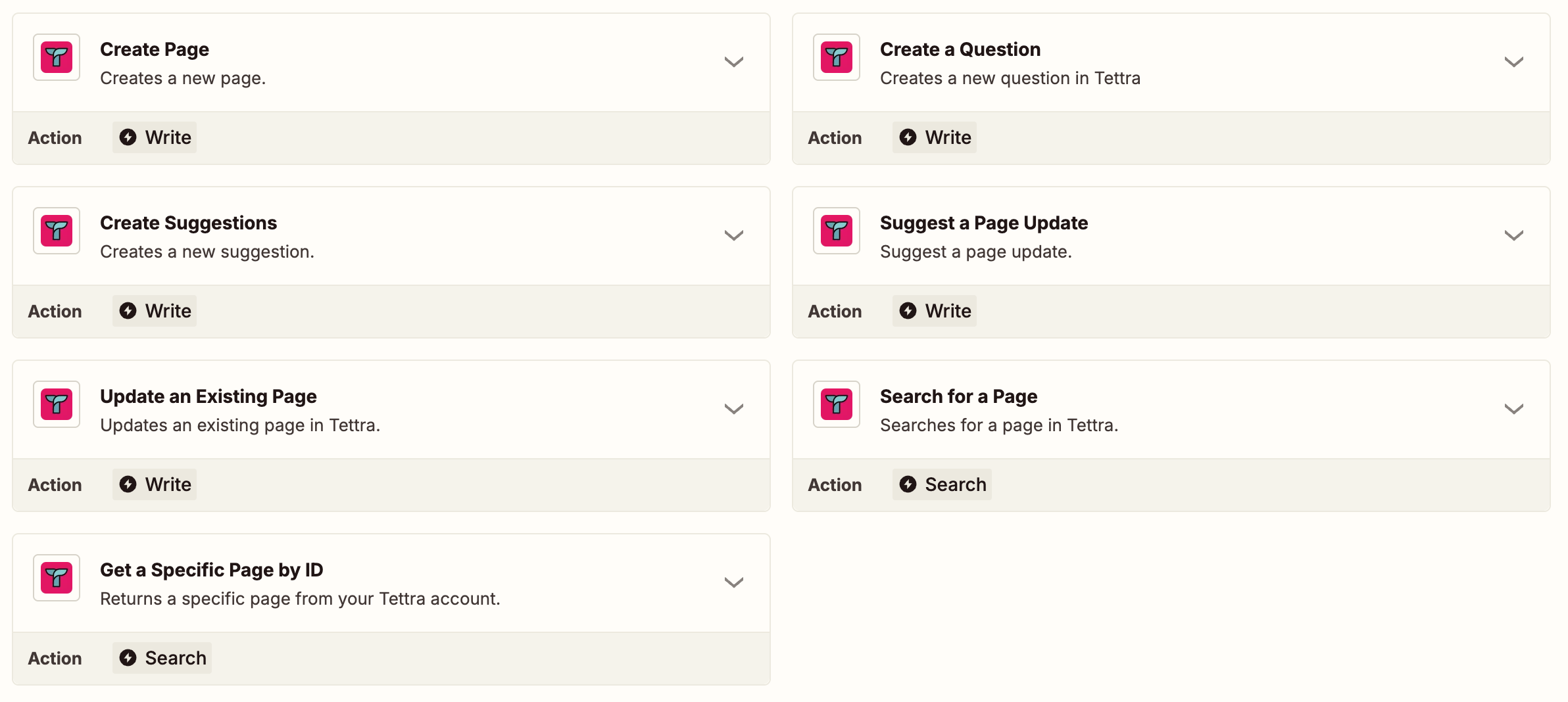
We’ve updated the Zapier Integration to include new actions:
- search for pages by text or ID
- update an existing page
- suggest a page update
- Create questions assigned to a specific category and up to three users
Bulk update page ownership
by Sam Siskind
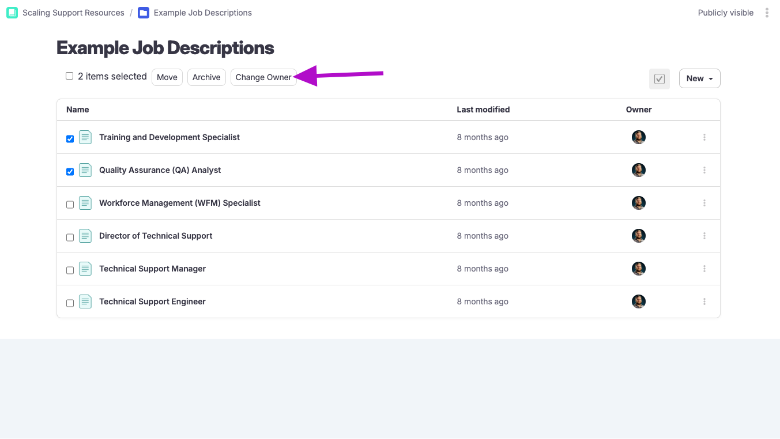
Keeping content ownership up to date is key for a well-managed knowledge base—especially when team members change roles or leave the company. To make this easier, you can now bulk update the owner of multiple pages at once. Just select a group of pages and choose a new owner. It’s a quick way to ensure the right people are accountable for reviewing and maintaining your content, without needing to edit pages one by one.
More control over what Kai indexes
by Sam Siskind
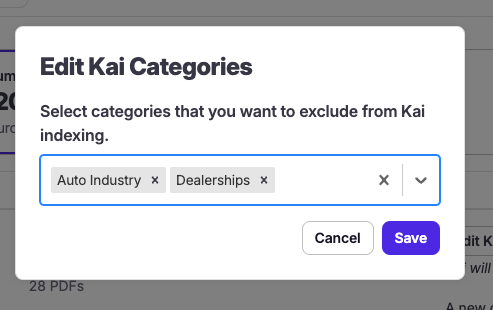
Kai, Tettra’s AI assistant, is great at answering team questions—but sometimes you may have categories you want to exclude from those answers. Maybe a category is full of work-in-progress content or content that needs to be updated.
Now, you can choose which categories to exclude from Kai’s indexing—giving you more control over which pages Kai can surface in AI-powered answers. It’s an easy way to improve the quality of responses while keeping sensitive or irrelevant content out of the mix.
New Page Update API endpoint
by Sam Siskind
If you use Tettra’s API to keep your knowledge base in sync with other tools, we’ve just made it easier to programmatically keep content up to date.
The new Page Update API Endpoint lets you suggest updates to existing pages—perfect for automating content maintenance when pages are updated in source systems. Whether you’re syncing product specs, policy changes, or release notes, this endpoint helps ensure your Tettra pages stay current with minimal manual effort.
Organize pages with Team Tags
by Sam Siskind
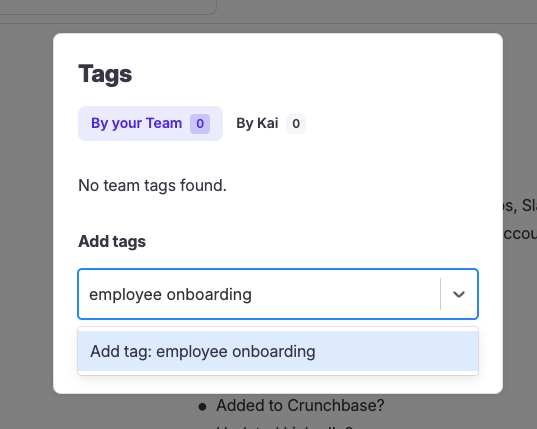
As your Tettra workspace grows, it can be helpful to group pages in more flexible ways beyond just categories. That’s where Team Tags come in!
Now you can add tags to your pages to highlight key topics, projects, or team-specific content. Use tags like “onboarding”, “engineering”, or “OKRs” to help your team quickly surface related pages through search and filtering—no matter where they live in your knowledge structure.
Kai Dashboard: See All AI Actions in One Place and Improve Performance
by Nelson Joyce
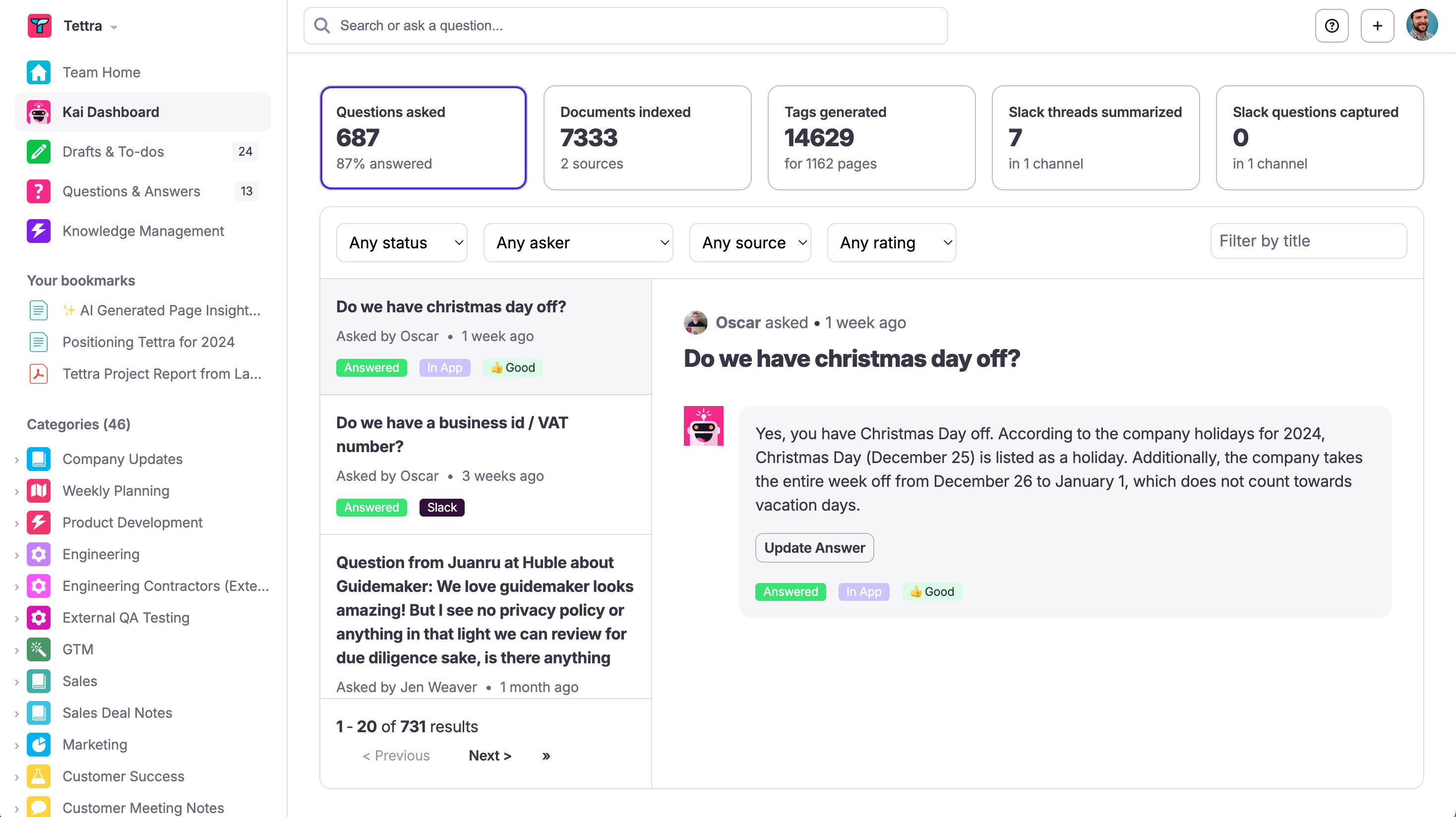
The Kai dashboard gives Admin and Editor user types a single place to see all the actions Kai has taken across your Tettra account and improve it's performance.
This lets you keep an eye on what Kai is up to and help it improve answers over time.
Here you'll find:
- All questions Kai has been asked (and which ones it was able to answer)
- What sources it has indexed
- The tags it's generated for pages
- The Slack threads you've summarized and saved in Tettra
- The existing answers it's saved from Slack
Index Google Docs for Search and Kai Answers
by Nelson Joyce
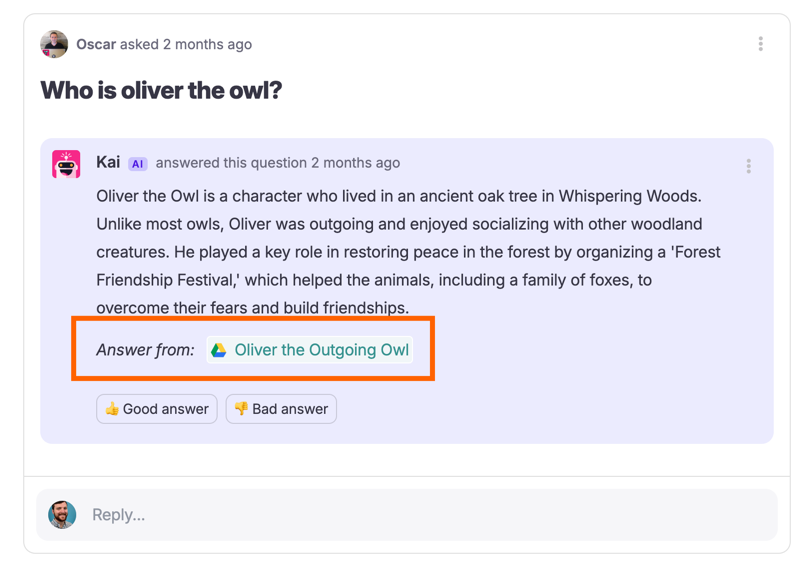
You can now connect Google Drive folders to Tettra so you can search for Google Docs and have Kai use them as a source when answering questions. This allows you keep existing content in Google Docs, without having to import it into Tettra.
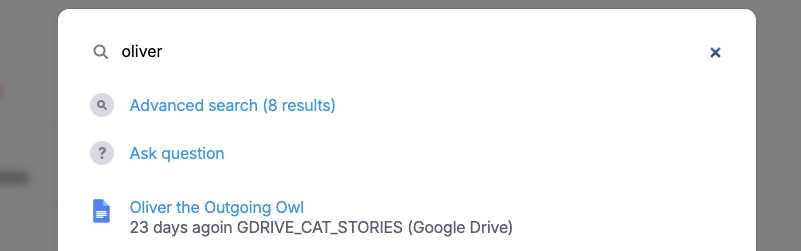
This also allows you to search for those Google Docs right within Tettra.
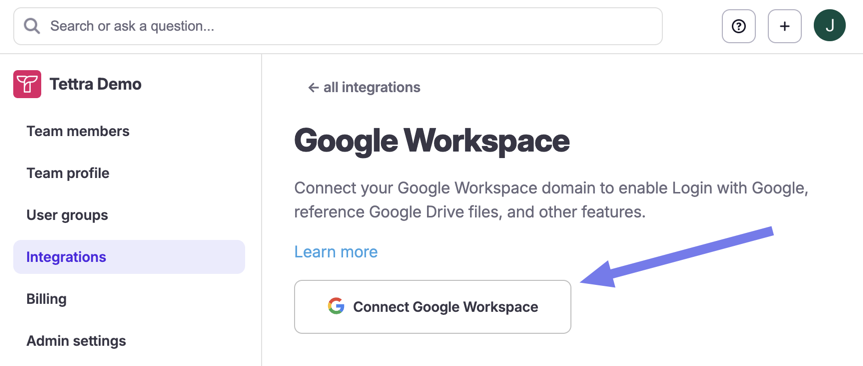
Existing users can reconnect their Google Workspace account in their team settings to grant the new permissions, then select the folders they want Tettra to access. Only Google Docs in the folders you select will be accessible to Tettra/Kai. Support for other file types will come in the future.
4 Major Slack Improvements
by Nelson Joyce
- Auto Answers: The Tettra Slack bot, Kai, can now automatically answers questions in channels without being summoned or DMed
- Knowledge Capture: Kai will read and detect existing chats to find answers that can be saved and used to answer future questions
- AI Summaries: You can save a thread and summarize it as a Tettra page using a Slack action
- Link previews: When you share a Tettra link in Slack, it will preview the page content in any channel or DM
Learn more about what this new Slack integration can do for your team and see all of our Slack features here.
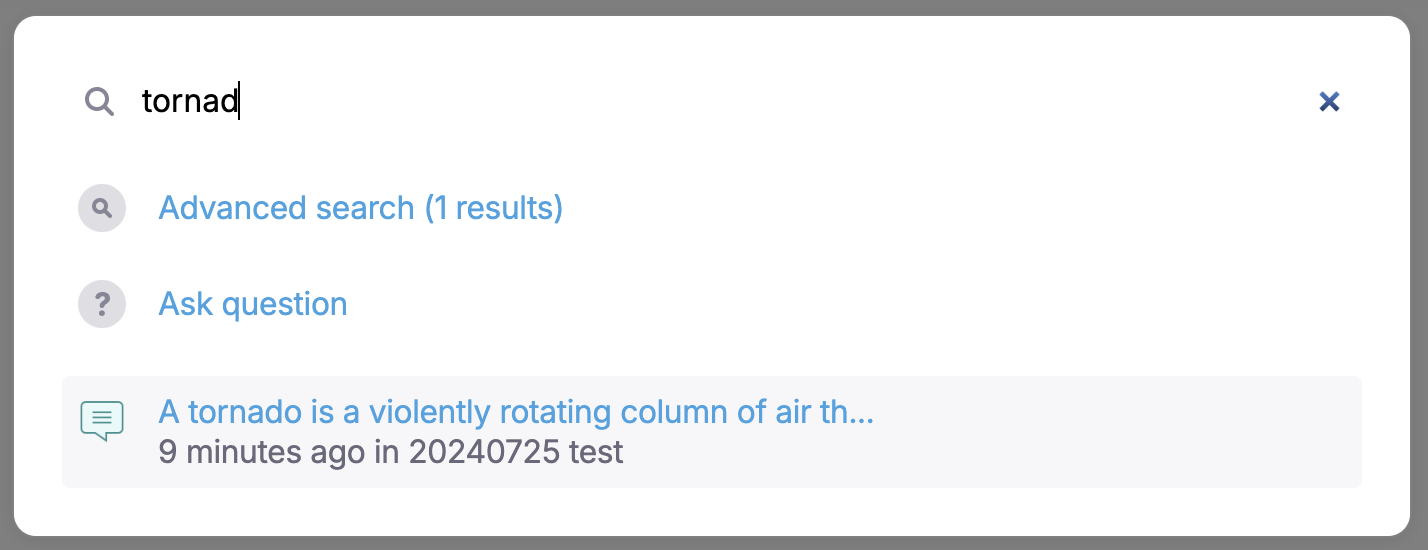
Comments and Categories are now searchable
by Nelson Joyce
You can now quickly navigate to categories and subcategories. Just hit
cmd+kon your keyboard and search by category/subcategory name.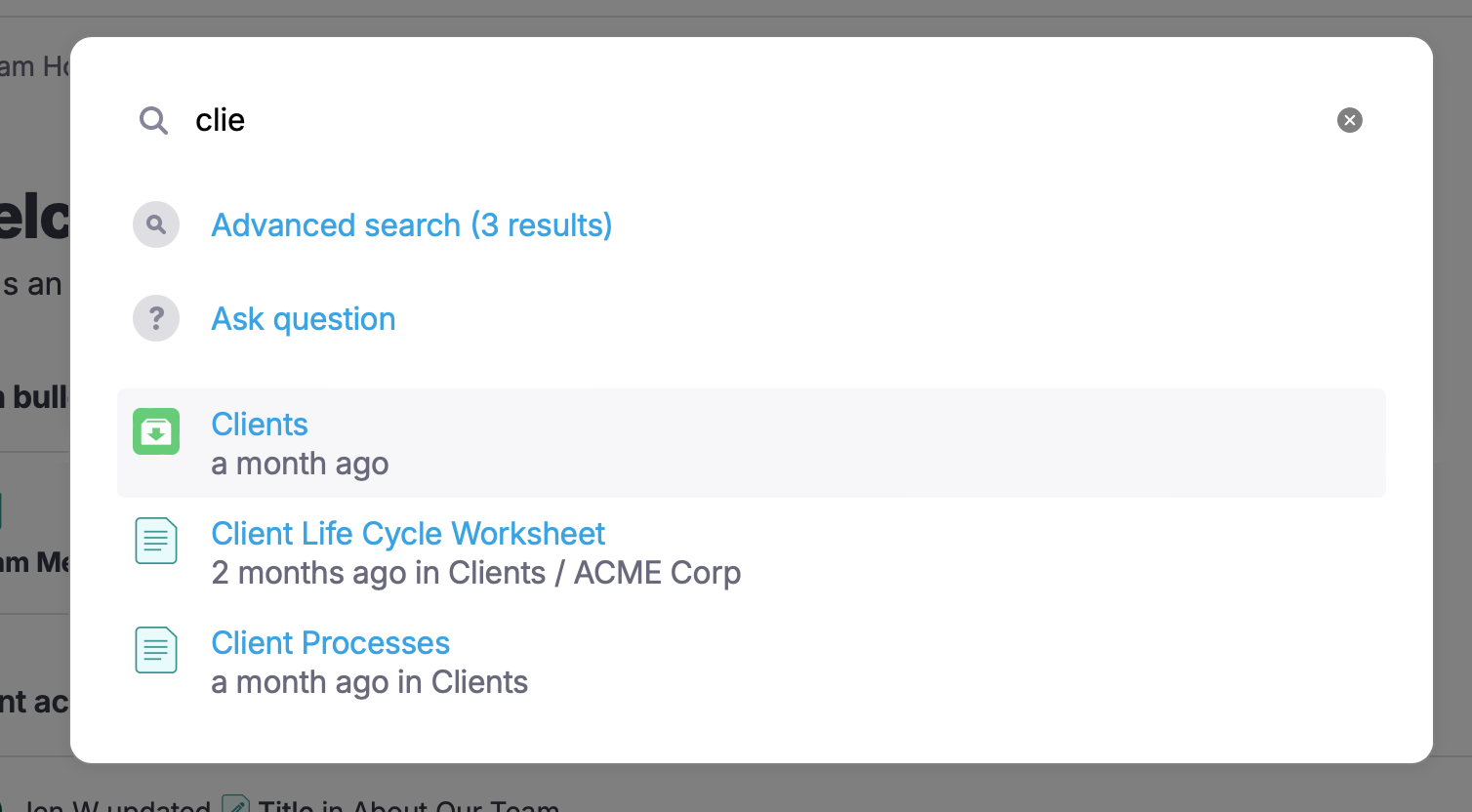
Comment content is now also searchable as well.
Team Home Improvements
by Nelson Joyce
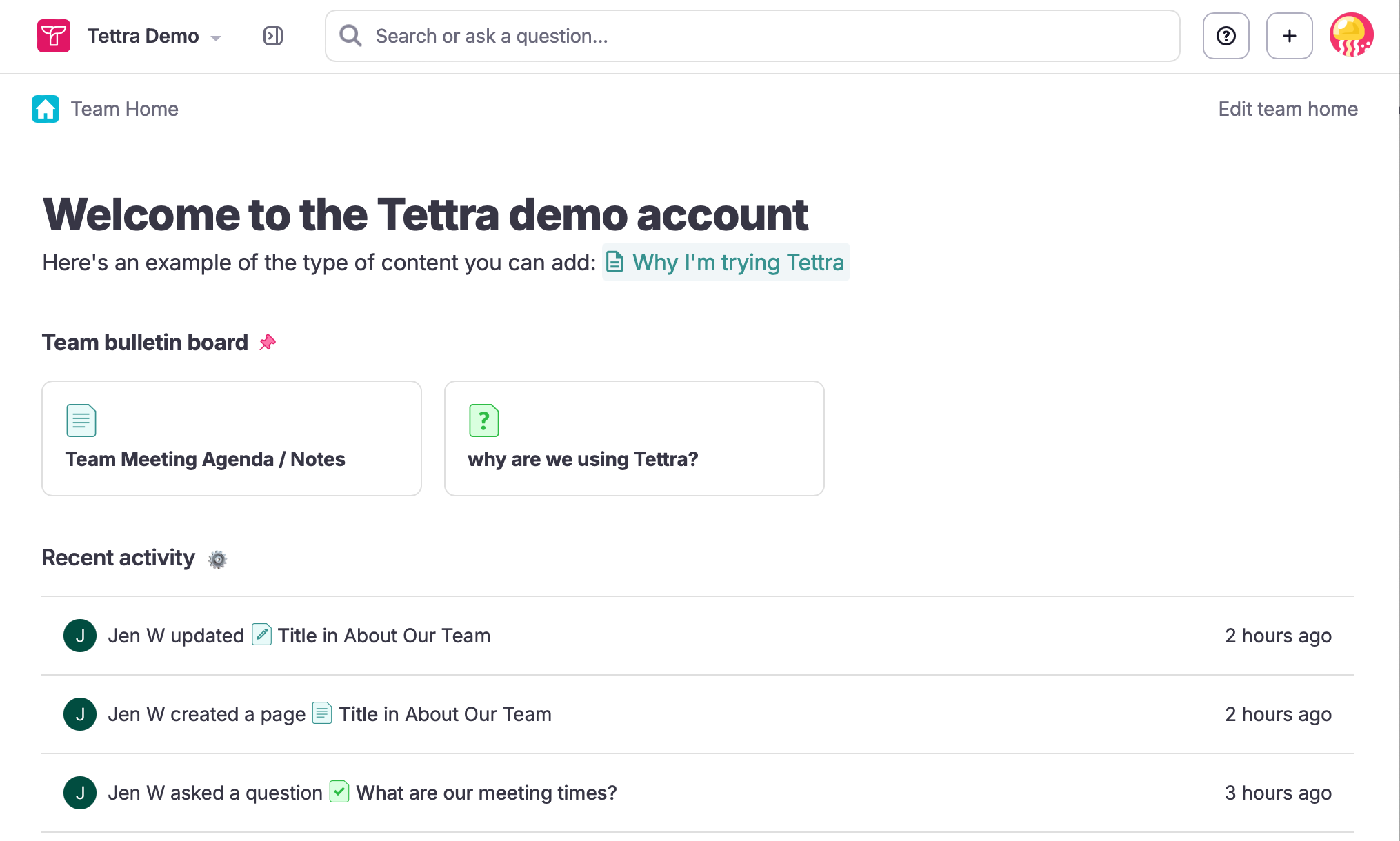
The team home has been updated with new functionality
You can now pin questions and uploaded pdfs in addition to pages to the team bulletin board. Also, the team home content can be edited inline instead of via a modal.
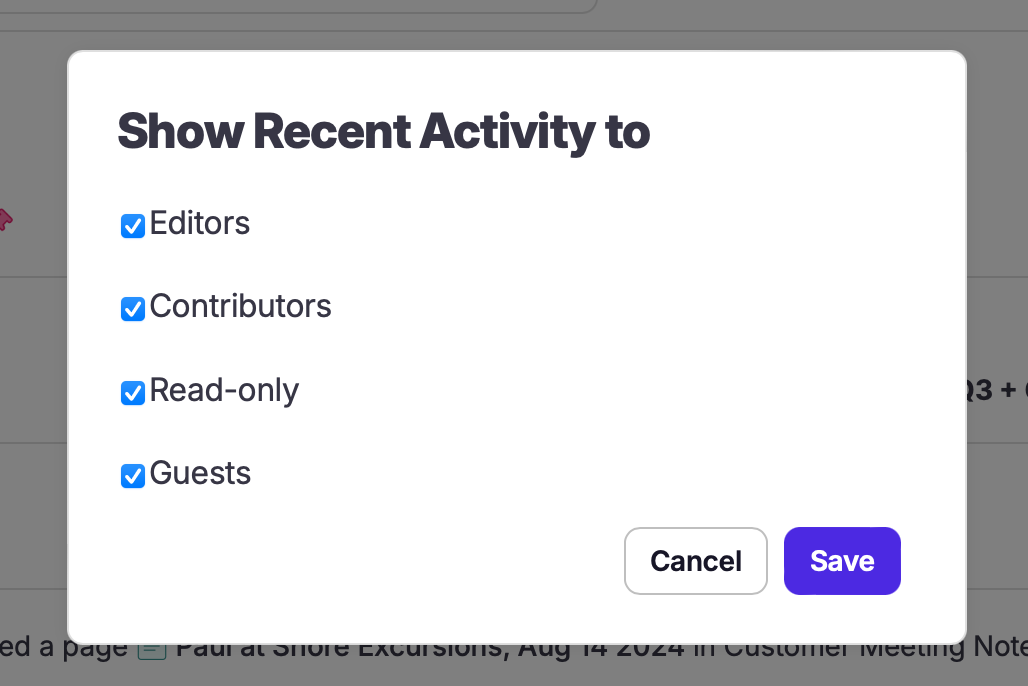
You can now also control which user types can view the recent activity items.
Start building your
knowledge base today
Fewer repetitive questions for you and faster answers for your team.
We guarantee you'll be hooked.
Create your knowledge base